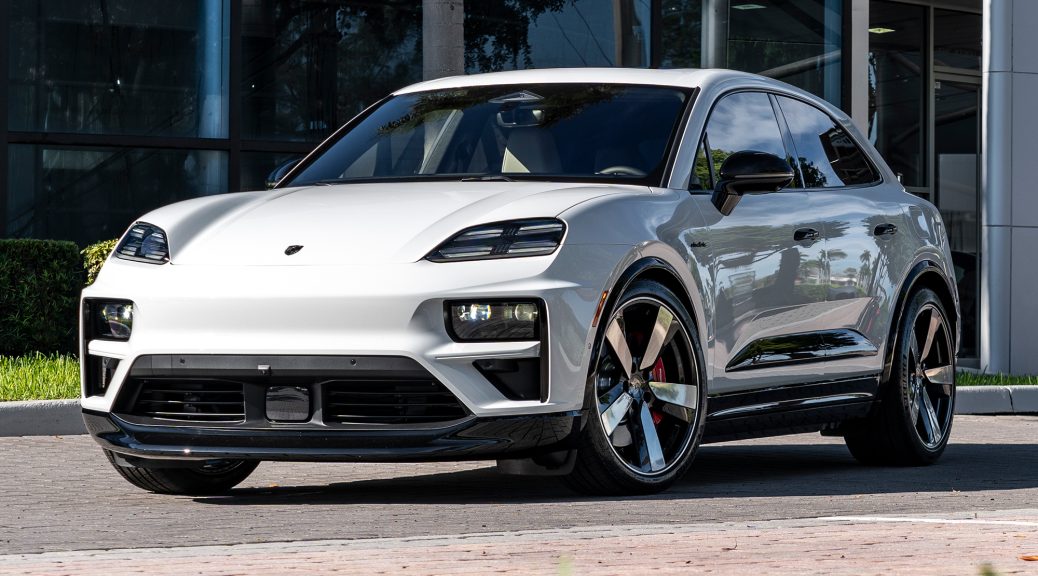
Complete Technical Guide for 911, Cayenne, Macan, Panamera & Taycan Owners
Your 2026 Porsche forgot your seat position. Again. The radio presets vanished. Your PCM 6.0 home screen looks like it belongs to someone else.
You’re not alone. With Porsche’s shift to fully networked electronic architectures in the 2026 model year—including the new PCM 6.0 (Porsche Communication Management), zonal E/E architecture, and over-the-air (OTA) update capabilities—owners are experiencing unprecedented electronic personalization glitches.
This guide covers diagnosis, immediate fixes, and permanent solutions for radio resetting, lost driver profiles, and electronic memory failures across the entire 2026 Porsche lineup.
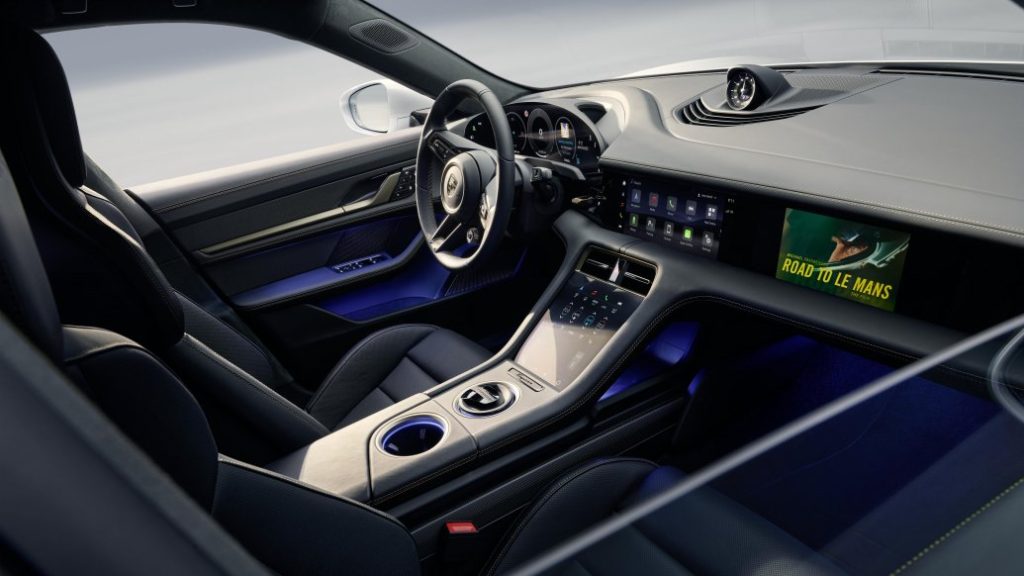
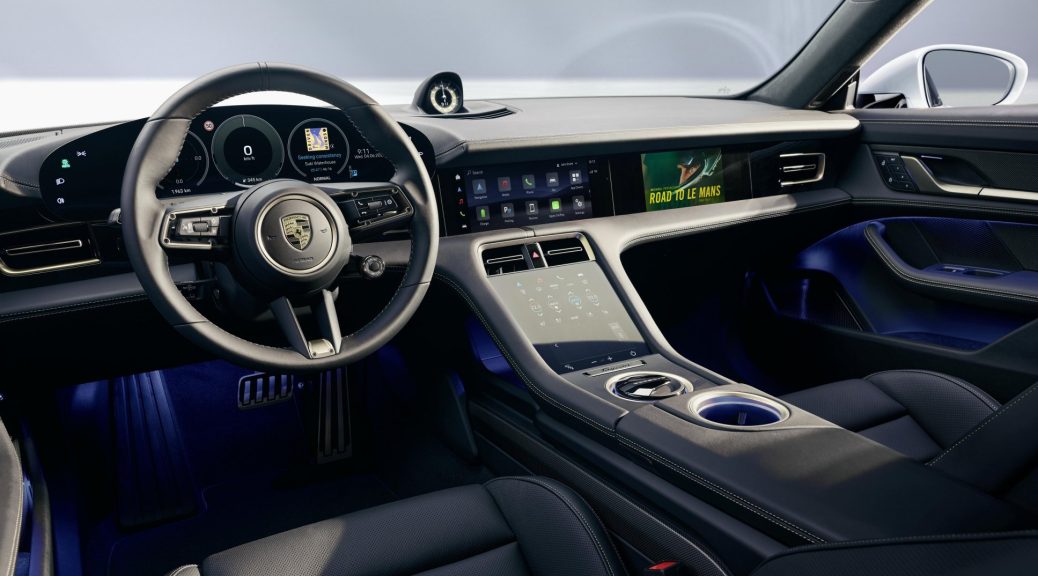
Understanding the 2026 Electronic Architecture
Before troubleshooting, know what changed:
| System | 2025 & Earlier | 2026 Model Year |
|---|---|---|
| Infotainment | PCM 5.0 / CDR+ | PCM 6.0 (Android Automotive-based) |
| Vehicle Network | Distributed ECUs | Zonal E/E architecture (centralized) |
| Updates | Dealer-required | OTA-capable (over-the-air) |
| Driver Profiles | Local storage only | Porsche ID cloud sync + local backup |
| Memory Functions | Seat, mirrors, steering | Expanded to climate, lighting, drive modes |
The 2026 system stores your personalization in two locations: local vehicle memory and your Porsche ID cloud account. When these fall out of sync, resets occur.
Problem 1: Radio Presets & PCM Settings Randomly Reset
Symptoms
- FM/AM/SiriusXM presets disappear after ignition cycle
- PCM home screen widgets revert to default layout
- Bluetooth pairings lost intermittently
- Audio equalization settings reset to “Neutral”
Root Causes (2026-Specific)
1. Porsche ID Authentication Failure
PCM 6.0 requires active Porsche ID login to sync cloud-stored settings. If authentication expires or fails, the system falls back to “Guest” mode with default settings.
2. OTA Update Interruption
Partial or interrupted over-the-air updates can corrupt the infotainment’s settings database. The 2026 architecture handles updates differently—background downloads with deferred installation.
3. Zonal Controller Communication Loss
The new E/E architecture delegates infotainment memory to a zone controller. If this controller loses power unexpectedly (battery disconnect, deep sleep mode), personalization data may not persist.
Immediate Fixes
Fix 1A: Force Porsche ID Re-authentication
1. Settings → Porsche ID → Log Out
2. Restart vehicle (full power cycle: lock, wait 2 min, unlock)
3. Settings → Porsche ID → Log In
4. Select "Sync All Settings from Cloud"
5. Wait for confirmation checkmark (30-60 seconds)
Note: If you see “Porsche ID Service Unavailable,” the server is experiencing load. Wait 10 minutes and retry.
Fix 1B: PCM 6.0 Soft Reset (No Data Loss)
1. Hold **Volume Knob** pressed for **12 seconds**
2. Screen will go black, then show Porsche crest
3. System restarts in 45-90 seconds
4. Check if presets restored from cloud backup
Fix 1C: Hard Reset (Factory Defaults – Last Resort)
1. Settings → System → Reset → "Reset to Factory Settings"
2. Select **"Keep Porsche ID & Connected Services"** (critical!)
3. Confirm with PIN (default: 0000, or your set PIN)
4. System restarts; re-pair Bluetooth devices
5. Settings will re-sync from Porsche ID cloud within 5 minutes
⚠️ Warning: Do NOT select “Full Factory Reset” unless instructed by Porsche Service—this deregisters the vehicle from your Porsche ID and requires dealer re-activation.
Permanent Prevention
- Enable “Automatic Cloud Sync”: Settings → Porsche ID → Sync Settings → ON
- Avoid force-quitting PCM: Don’t hold power button during shutdown
- Complete OTA updates promptly: Delayed updates increase corruption risk
- Keep Porsche ID password current: Expired passwords break sync silently
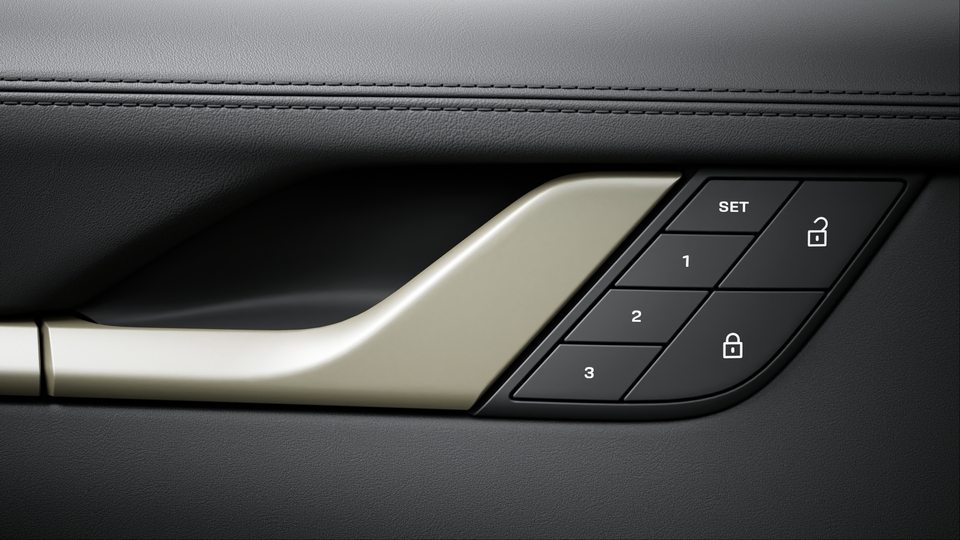
Problem 2: Driver Memory Seat, Mirror & Steering Column Reset
Symptoms
- Seat position “forgets” your setting after exit
- Mirror positions revert to default on startup
- Steering column doesn’t return to entry/exit position
- Multiple key fobs no longer recognized for individual profiles
2026-Specific Changes
The 2026 lineup expanded memory functions to include:
- Climate control preferences (temperature, airflow, seat heating/ventilation)
- Ambient lighting color and intensity
- Drive mode selector default position
- Head-up display height and content preferences
These now tie to Porsche ID profiles rather than just key fobs.
Diagnostic: Key Fob vs. Porsche ID
| Scenario | Likely Cause |
|---|---|
| Settings lost with any key fob | Porsche ID sync failure |
| Settings lost with one key fob | Key fob battery or pairing issue |
| Settings lost intermittently | Zone controller power management bug |
| Settings lost after service | Technician reset without cloud restore |
Immediate Fixes
Fix 2A: Re-link Key Fob to Porsche ID Profile
1. Settings → Vehicle → Seats → Driver Memory
2. Select "Key Fob Assignment"
3. Hold desired key fob near center console (within 6 inches)
4. Press "Link to Profile" → Select your Porsche ID
5. Test: Exit vehicle, lock, unlock, check seat movement
Fix 2B: Manual Memory Re-save (When Cloud Sync Fails)
1. Adjust seat, mirrors, steering column to preferred positions
2. Press **SET** button on door (red LED illuminates)
3. Press memory position **1** or **2** within 5 seconds
4. Hold until confirmation tone sounds (2 beeps)
5. Settings → Porsche ID → "Upload Current Settings to Cloud"
6. Wait for sync confirmation
Fix 2C: Zone Controller Wake-Up Procedure
For vehicles experiencing intermittent memory loss (known issue in early 2026 Cayenne and Macan production):
1. Unlock vehicle with key fob (don't touch door handle yet)
2. Wait **10 seconds** before opening door
   (This allows zone controllers to fully initialize)
3. Enter vehicle, start normally
4. If seat doesn't move, press memory button manually
Technical Note: Porsche Technical Bulletin TB-2026-03-PCM-001 addresses this. Early production vehicles may require a gateway control unit software update (version 4.2 or later) to resolve power sequencing issues.
Advanced: Memory Function Bypass (Emergency)
If seat memory fails completely and you need consistent positioning:
1. Settings → Vehicle → Seats → "Easy Entry" → OFF
2. Manually set position, do not use memory buttons
3. The seat will remain in last position (no automatic movement)
4. Schedule service for zone controller diagnosis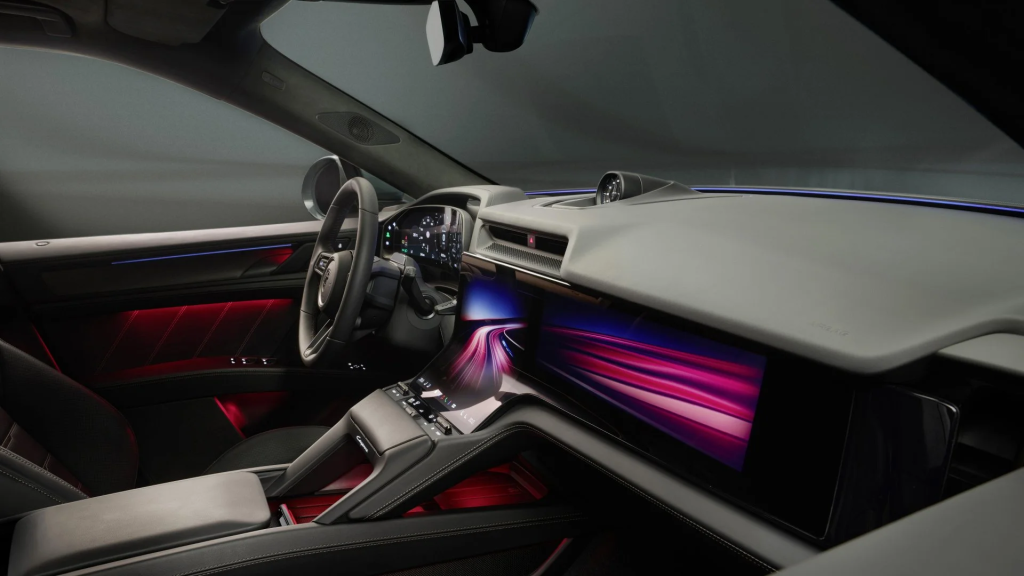
Problem 3: Climate Control & Ambient Lighting Personalization Lost
2026 New Feature Complexity
The 2026 Thermo Management 2.0 system integrates:
- Predictive cabin conditioning (learns your schedule)
- Multi-zone memory with air quality preferences
- Seat climate (heating/ventilation/massage) tied to profiles
When these reset, the vehicle “forgets” your daily patterns.
Fix 3: Climate Profile Reconstruction
1. Settings → Climate → "Personalization" → "Reset Learning"
2. Drive for 3-5 days with manual adjustments
3. System will re-learn and prompt to save as "Home/Work/Other"
4. Confirm each location when prompted (GPS-linked)
5. Settings → Porsche ID → "Sync Climate Preferences"
Note: If “Predictive Conditioning” continues to fail, disable it temporarily: Settings → Climate → “Predictive” → OFF. This is a known software issue targeted for OTA fix in Q2 2026.
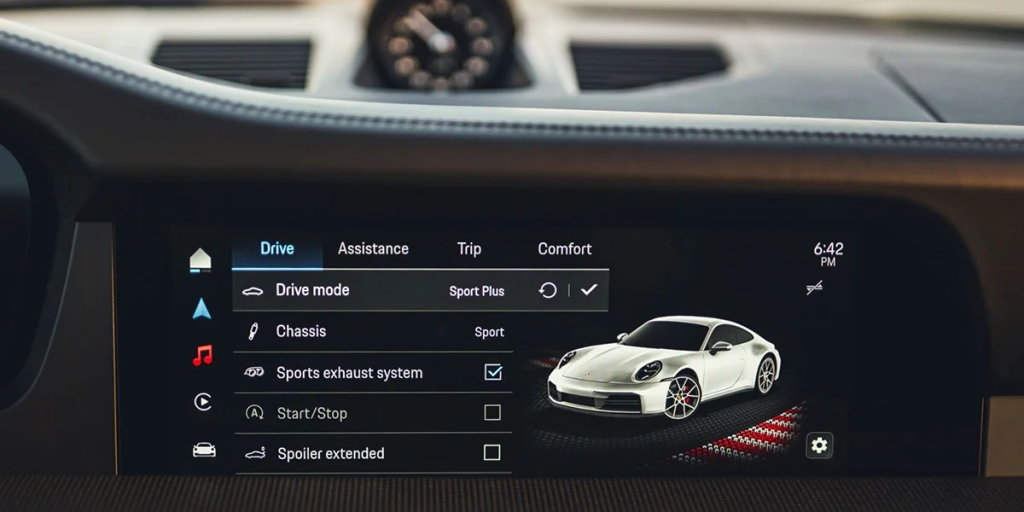
Problem 4: Drive Mode & Performance Settings Reset
Symptoms
- Individual mode (Individual, Sport Individual, Offroad Individual) reverts to defaults
- PASM (Porsche Active Suspension Management) damping preferences lost
- PDK shift characteristics reset to “Normal”
- Sport Chrono lap timing data erased
2026 Drive Mode Architecture
2026 vehicles store Individual modes in:
- Local: Non-volatile memory in DME (Digital Motor Electronics)
- Cloud: Porsche ID profile (if equipped with Connect Plus)
The DME-local storage is more reliable than infotainment settings. If Individual modes reset, the issue is typically DME communication, not memory failure.
Fix 4: Individual Mode Reprogramming
1. Select mode selector to "Individual"
2. Configure desired settings:
   - PASM: Sport or Comfort
   - PDK: Manual/Sport
   - Engine: Sport Plus response
   - Exhaust: Sport (if equipped)
3. Press and hold **Individual button** for 3 seconds
4. "Individual Mode Saved" appears in instrument cluster
5. Settings → Porsche ID → "Sync Drive Modes" (if available)
For Track Use: Sport Chrono lap data is stored locally only (privacy/security). Export data regularly via USB: Sport Chrono → Trip Data → Export → USB.
Problem 5: Complete System Failure (Black Screen, No Response)
2026 Emergency Procedures
If PCM 6.0 is completely unresponsive:
Step 1: Forced Reboot
Hold **Volume Down + Tune** buttons simultaneously for 15 secondsStep 2: Ignition Cycle Reset
1. Turn ignition off, remove key fob from vehicle
2. Lock vehicle, wait 5 minutes (full network sleep)
3. Unlock with key fob (not door handle), enter vehicle
4. Start engine, check PCM response
Step 3: 12V Battery Disconnect (Last Resort)
⚠️ WARNING: Only if comfortable with technical procedures
1. Open front trunk (frunk)
2. Disconnect negative battery terminal (10mm wrench)
3. Wait 15 minutes (residual power drain)
4. Reconnect, tighten to 5 Nm
5. Start vehicle, expect 10-minute initialization sequence
Post-Disconnect: All personalization will restore from Porsche ID cloud within 5-10 minutes of reconnection. If you don’t have an active Porsche ID, settings will be lost permanently.
When to Contact Champion Porsche Service
Schedule service immediately if:
| Symptom | Likely Issue | Required Action |
|---|---|---|
| Repeated resets after all fixes | Faulty zone controller | ZCU replacement + software flash |
| Settings lost + warning lights | Low voltage / battery fault | Battery test, possible replacement |
| Porsche ID cannot authenticate | Account corruption | Dealer-assisted ID reset |
| OTA update stuck/failed | Corrupted firmware | Dealer manual update required |
| Seat memory works, but mirrors don’t | Door control module fault | DCM diagnosis, possible replacement |
Champion Porsche Technical Service: (954) 946-4020
Service Scheduling: service@champion-porsche.com
2026 Model-Specific Quick Reference
| Model | Known Electronic Issues | TSB Reference |
|---|---|---|
| 911 (992.2) | PCM 6.0 Bluetooth dropout | TB-2026-01-PCM-003 |
| Cayenne (9Y0.3) | Zone controller sleep mode | TB-2026-03-PCM-001 |
| Macan (XAB) | Porsche ID sync delays | TB-2026-05-PCM-002 |
| Panamera (971.2) | Ambient lighting memory | TB-2026-02-PCM-004 |
| Taycan (Y1A) | OTA update interruptions | TB-2026-04-HV-001 |
Preventive Maintenance for Electronic Systems
Monthly
- Check Porsche ID login status (Settings → Account)
- Verify cloud sync completion (green checkmark)
Quarterly
- Export Sport Chrono data if tracked
- Review and update OTA settings (Settings → System → Updates)
Annually
- Battery health check (12V system critical for memory retention)
- Software version verification during service
Have a persistent electronic issue not covered here?
Our factory-certified technicians have completed Porsche 2026 High-Voltage & Electronics Certification and access to PIWIS 4 diagnostic systems. Contact Champion Porsche for advanced diagnostics beyond owner-level reset procedures.
Last Updated: April 2026 | Applies to: 2026 Porsche 911, Cayenne, Macan, Panamera, Taycan | PCM 6.0 Software Version 6.0.3+